Every patient, one tap away
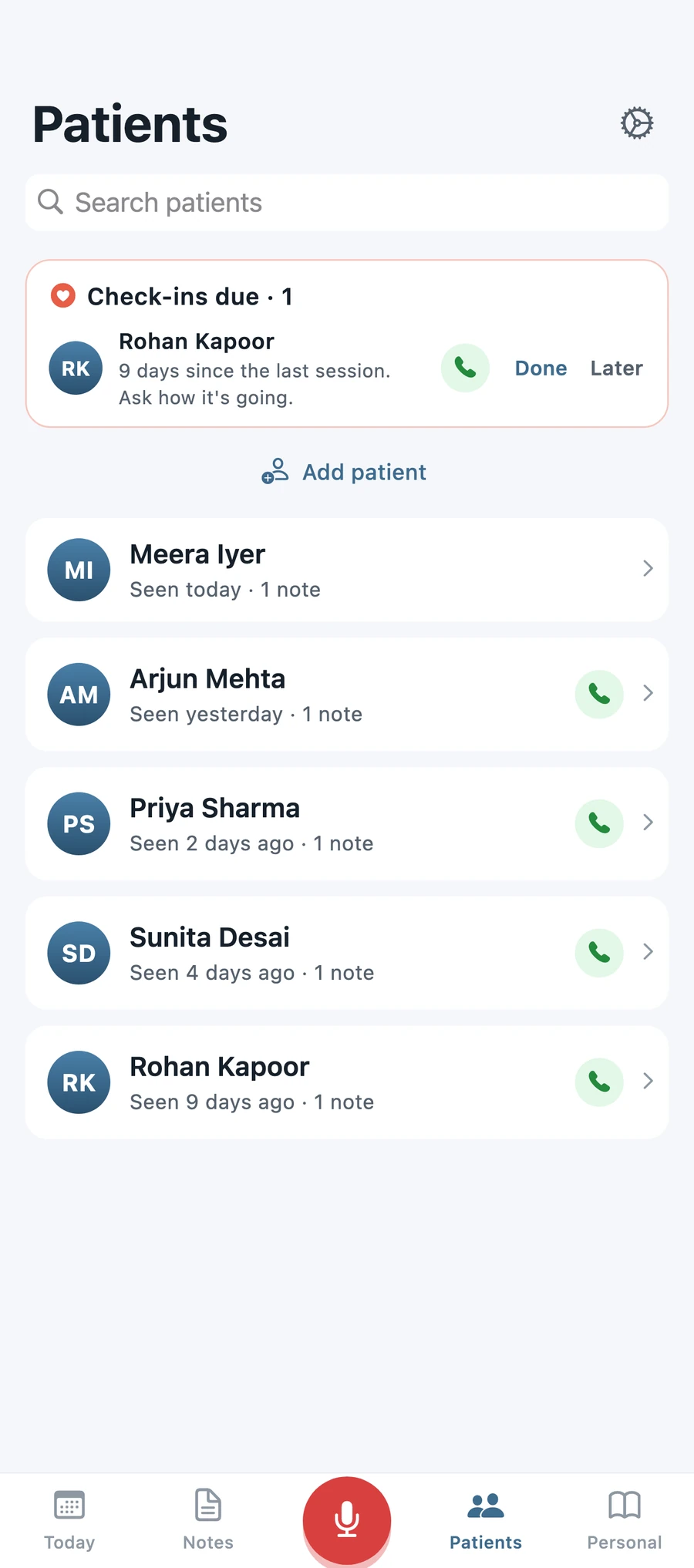
Sessions, phone numbers and check-in nudges live together. Call straight from the list.
Kinechart turns your dictation into structured clinical notes, reminders and patient follow-ups. Entirely on your iPhone.
Dictate between patients and pause whenever you need to. Transcription runs on the phone, with a vocabulary tuned for physiotherapy.
PSSession · Priya Sharma
0:11
Recording
Subjective. 42 year old female presents with right knee pain after a twisting injury playing badminton two weeks ago. VAS 6 out of 10, worse on stairs and squatting.
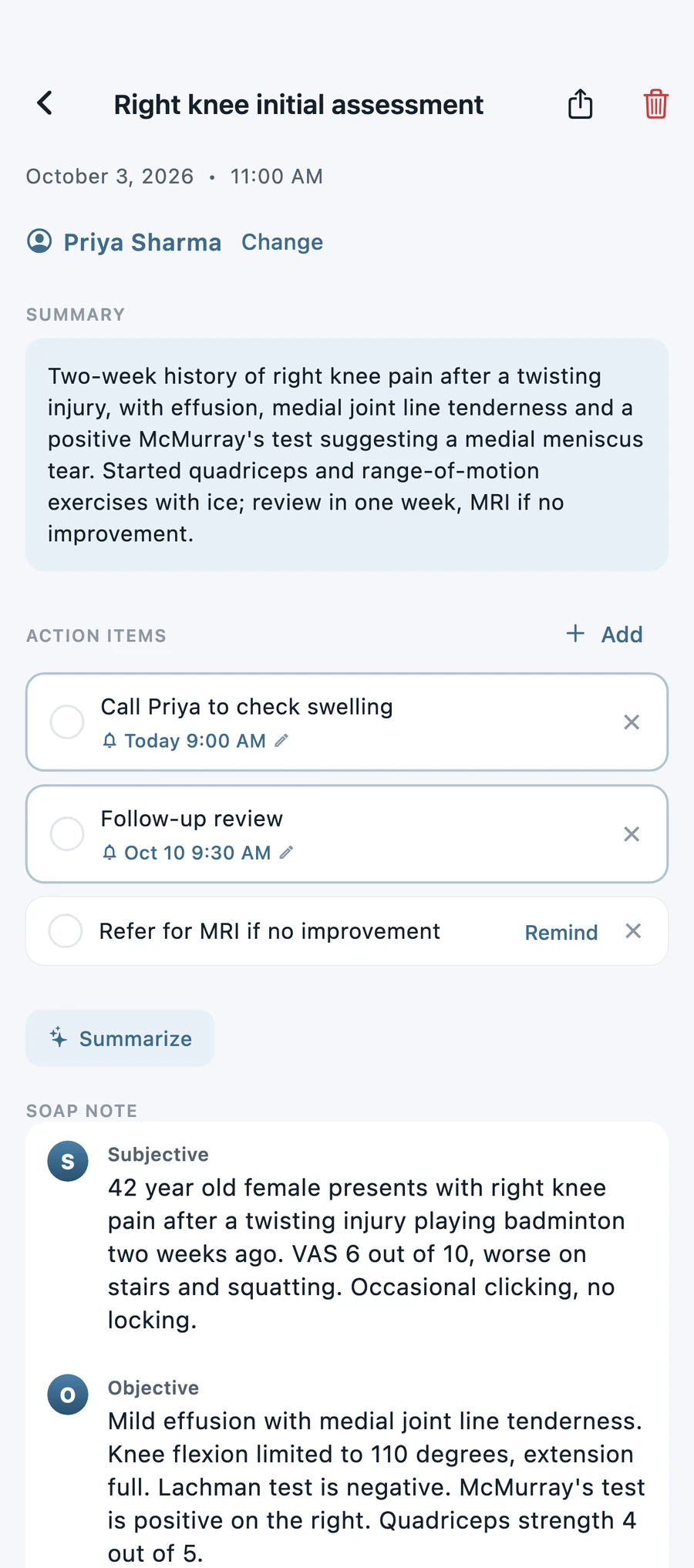
Say Subjective, Objective, Assessment and Plan, and the note splits itself. With Pro on Apple Intelligence iPhones, the rest is organised for you.
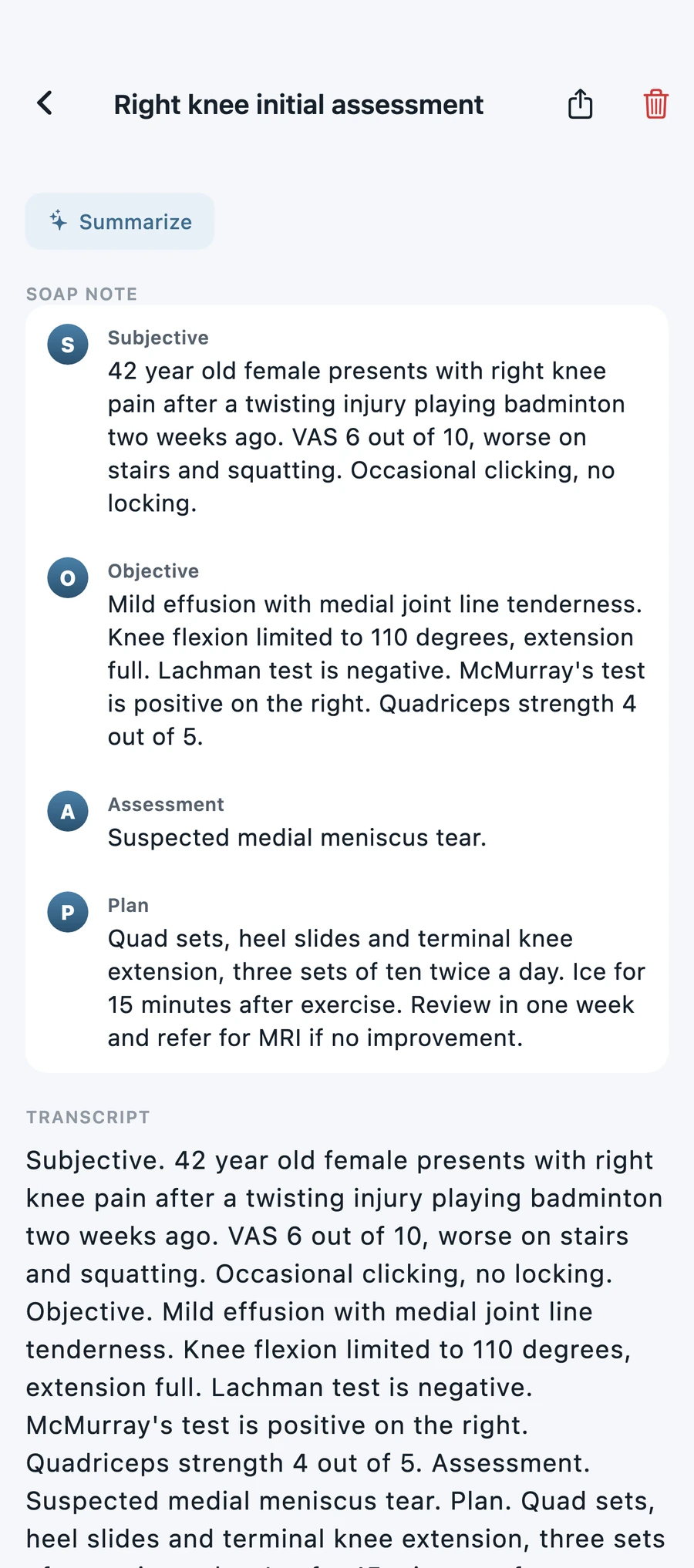
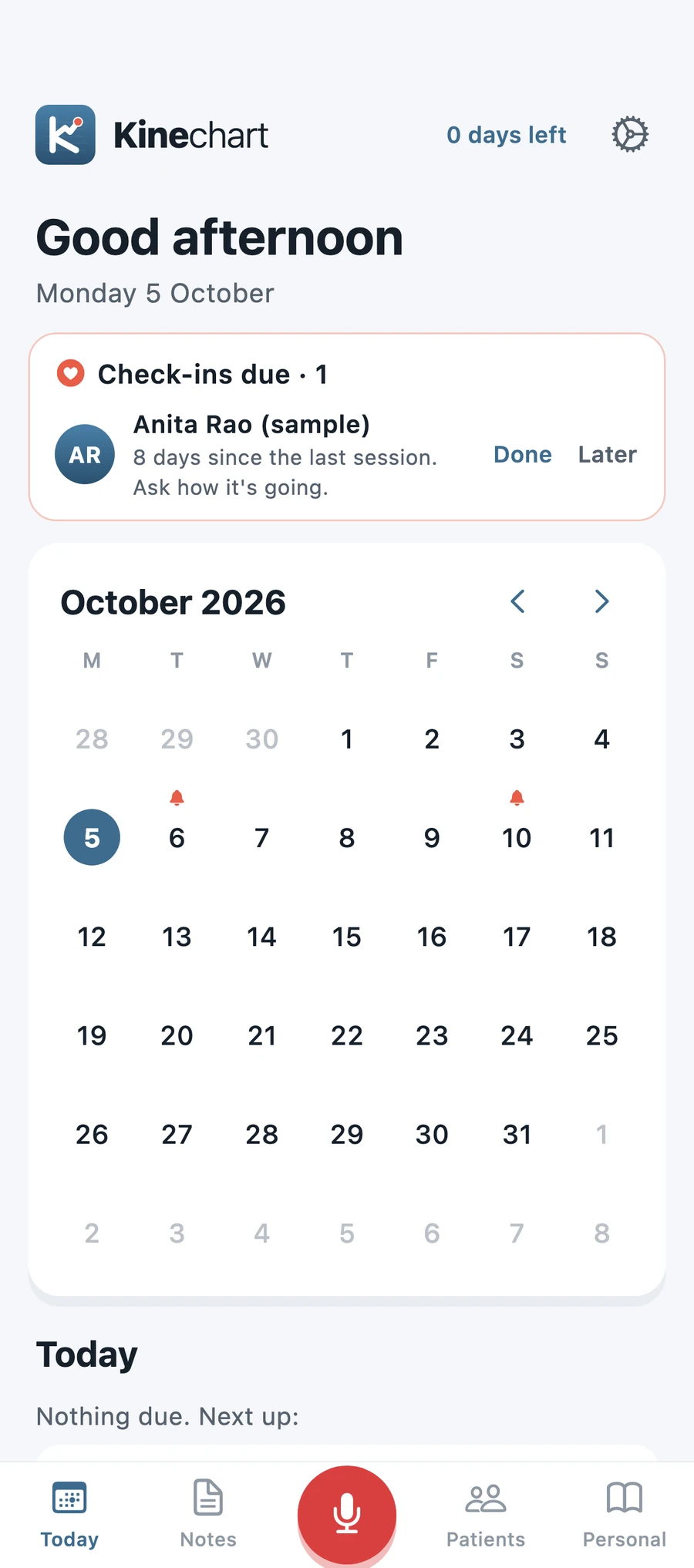
Mention a review in one week and it lands on your calendar with a reminder. Check-in cards show who is due a call.
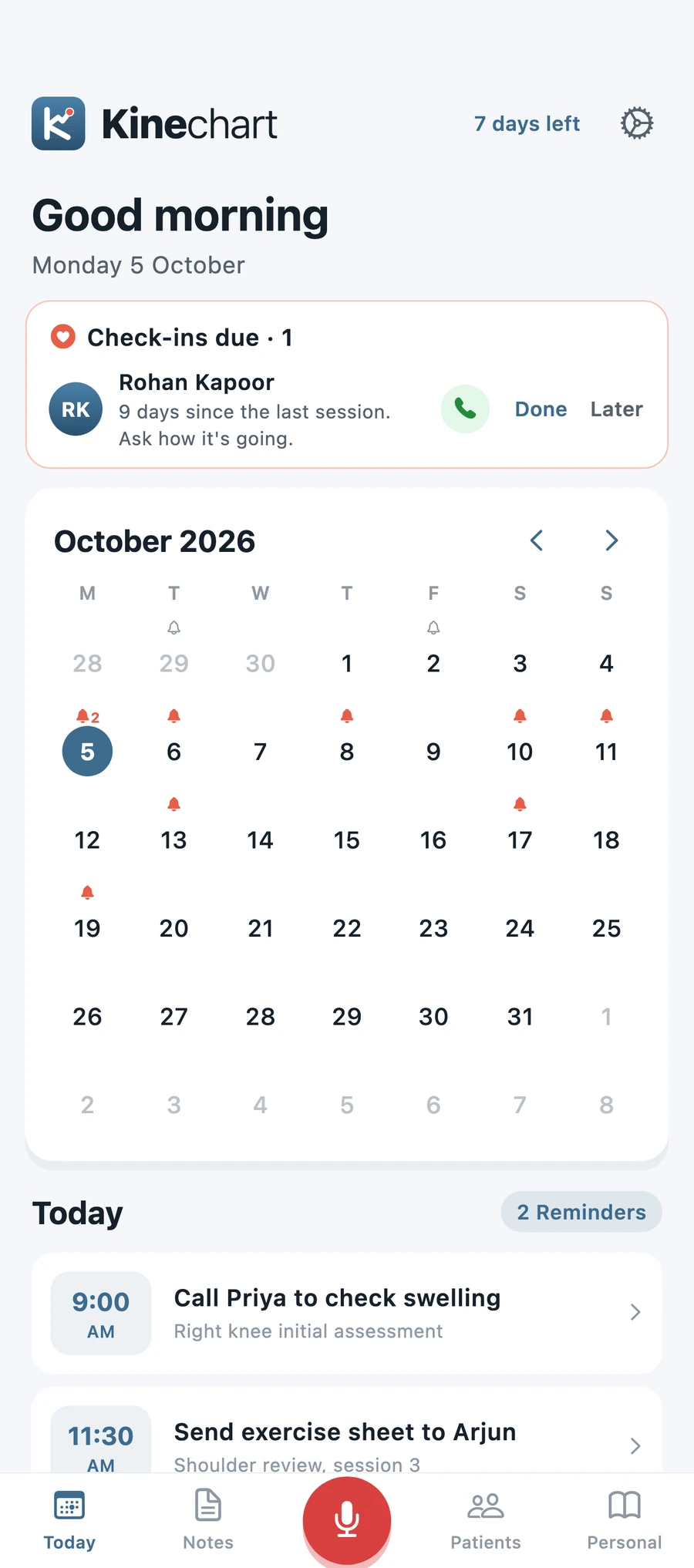
Sessions, phone numbers and check-in nudges live together. Call straight from the list.
Notes stay hidden in the app switcher too.
A built-in physiotherapy vocabulary keeps clinical terms spelled right.
An Apple Watch app, complications and Home Screen widgets keep recording one tap away.
Every note keeps its recording for playback. Share a polished PDF with Pro when a GP asks.
Built for clinics in the US, the UK, India and anywhere English is spoken, plus eleven Indian languages. All recognised on the device.
Indian languages need iOS 26 or later.
Supported languages: English, Hindi, Bengali, Gujarati, Kannada, Malayalam, Marathi, Odia, Punjabi, Tamil, Telugu and Urdu.
Pick the one that suits your practice. Tap a colour and this whole page follows.
No account. No cloud. No servers. Your notes and recordings stay on your iPhone, transcribed and organised by the device itself.
Read the privacy policyEvery install starts with a 7-day trial of everything. After that, the free plan keeps working.
$0
$4.99 a month
$29.99 a year
$79.99 once
Every Pro plan includes the same features.
Planned pricing in US dollars. Final prices for your region are shown in the App Store.
Kinechart for iPhone and Apple Watch is on its way.
Kinechart is built so that your notes, recordings and patient details stay on your iPhone. We do not run servers that receive your data, we do not ask you to create an account, and the app contains no analytics, advertising or tracking code.
Kinechart saves the following in its private storage on your iPhone:
None of this is transmitted to Kinechart. If you use iCloud Backup or an encrypted computer backup, Apple may include the app's data in your device backup under your own Apple Account and Apple's terms.
The app uses the microphone only while you are recording. Transcription uses Apple's on-device speech recognition, with on-device processing required, so audio is not sent to Apple's servers or to us. Some languages need a speech model that iOS downloads from Apple. That download does not include your audio or notes.
On supported iPhones, summaries, clean-up and SOAP organisation run through Apple Intelligence on the device. The text of your note is not sent to Kinechart or to a third-party AI service.
If you turn on the app lock, iOS confirms your identity and tells the app only whether it succeeded. Kinechart never receives or stores biometric data.
Reminders and the weekly digest are local notifications scheduled on your device. We do not operate a push notification service and receive no information when they are delivered.
The Watch app, complications and Home Screen widgets show a small snapshot of upcoming reminders and check-ins. Recordings made on the Watch are transferred directly to your paired iPhone. This data moves between your own devices through Apple's system frameworks and is not sent to us.
Kinechart Pro is sold through Apple's App Store. Apple processes the payment and tells the app whether a purchase is active. We do not receive your name, email address or payment details. Apple's handling of purchase information is covered by Apple's privacy policy.
Data leaves the app only when you choose to send it: sharing a note, exporting a PDF or Markdown file, exporting all notes, or tapping Call to phone a patient. What happens next depends on the app or service you pick, and is covered by that provider's policy.
If you record information about patients, you decide what to record and you remain responsible for meeting the professional, legal and regulatory duties that apply to you, such as consent, record retention and local health-privacy law. Kinechart is a note-taking tool. It is not a medical device and does not provide clinical advice. We recommend keeping a device passcode and the app lock turned on.
Your data stays on your device until you remove it. Deleting a note also deletes its recording. Deleting the app removes all Kinechart data from that device. Because we hold no copy, we cannot restore deleted data.
This site does not use cookies, analytics or advertising. It is hosted on Google Firebase Hosting, which, like most hosting providers, may log technical details such as IP address and browser type to deliver and secure the site. If you email us, we use your address and message only to reply.
Kinechart is intended for working professionals and is not directed at children under 13.
Because your data never leaves your device, you already hold and control all of it. You can view, edit, export or delete it in the app at any time. If you have emailed us and would like that correspondence deleted, ask and we will do so.
If the way Kinechart handles data changes, we will update this page and the effective date above before the change takes effect.
Questions about privacy: [email protected]
Stuck on something, or have an idea that would help your clinic day? Email [email protected] and we will get back to you.
No. Recording, transcription, notes and reminders all work offline. A connection is only used when iOS downloads a speech model for a language, and for App Store purchases.
Kinechart runs on iPhones with iOS 17 or later. Indian languages need iOS 26 or later. AI summaries and SOAP organisation need an iPhone that supports Apple Intelligence. The Watch app needs watchOS 26 or later.
Open Settings, then Your data, then Export all notes. Your notes are also included in your iPhone's own backup if you have backups turned on.
Open Settings in the app and tap Manage subscription, or go to Subscriptions under your Apple Account in the iOS Settings app.
Open the Pro screen and tap Restore purchases while signed in to the same Apple Account.
No. Notes live only on your device, so we have no copy to restore. See the privacy policy for details.